Affiliate program
Send sellers and buyers to panty.com and earn a commission on their Premium payments. CCBill, our card payment provider, runs sign-up, statistics and payouts.
How it works
- Sign up with the form on this page. CCBill creates your affiliate account and emails you your affiliate ID.
- Take your tracking links and banners from your CCBill affiliate account and place them on your site or in your channels.
- When someone you sent pays for Premium by card, CCBill credits the commission to your account and pays you out.
What you earn
You earn on Premium payments made by card by the sellers and buyers you refer. Most of our Premium revenue comes from sellers, so referring sellers pays best.
Your commission terms are set in our CCBill program and shown to you when you sign up, including whether renewals of a subscription pay too.
Chargebacks and refunds are deducted from your commission. Crypto payments are not processed by CCBill and earn no commission.
How referrals are tracked
Your link first goes to CCBill, which counts the click and sets its own cookie, then on to panty.com. CCBill uses that cookie to credit the payment to you.
panty.com also remembers your affiliate ID for 255 days. If the visitor creates an account in that time, the account is yours, and for 180 days after sign-up its card payments pass your affiliate ID to CCBill.
Statistics and payouts
Sign in to the CCBill admin and choose “Affiliate”. There you see your clicks, sales, transactions with refunds and chargebacks, and your payouts.
CCBill pays you directly every week, by the payout method you choose there. Minimum amounts and payout fees are CCBill’s.
Rules
- No spam: no unsolicited email, no message or comment spam.
- No promotion in channels aimed at or open to minors.
- No misleading promises, no fake profiles, no claims that Premium is free.
- No paid ads that bid on the panty.com name or variations of it.
- No photos or names of our sellers without their consent; use the banners from your CCBill account.
- Mark your promotion as advertising.
- No commission on your own accounts or payments.
We deactivate partners who break these rules in our CCBill program.
Sign up
Already a CCBill affiliate?
Promo material
Banners, social posts and text links for your sites and channels, for both campaigns: seller recruitment and buyers.
Your personal tracking link is in your CCBill affiliate account under Tools → Get Banners. To send visitors straight to the seller or buyer page, add &HTML=https://panty.com/partners/go/sell/ or &HTML=https://panty.com/partners/go/buy/ to it.









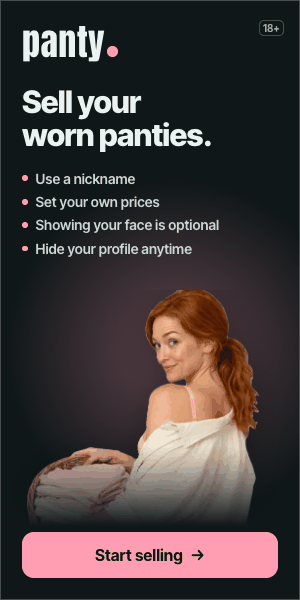

Use the material as it is, without changing the claims, and mark it as advertising.